

When someone books a bus seat online, they usually get a seat map and two or three photos. For a short city ride that's fine. But for an overnight sleeper, a tempo traveller for a family trip or a luxury coach for a wedding party, people want to know a lot more before they pay. How wide is the berth? Is there enough legroom? Where do the bags go? Is the coach really as new as the photos suggest?
A 360° virtual tour of the bus interior answers these questions without a phone call. Passengers can step inside on their phone, look up and down the aisle, check the berths and seats, and see the actual vehicle they will travel in.
In this guide we explain who a bus or coach virtual tour is useful for, what it should show, where to use it and how the shoot works.
Who a 360° bus tour is for
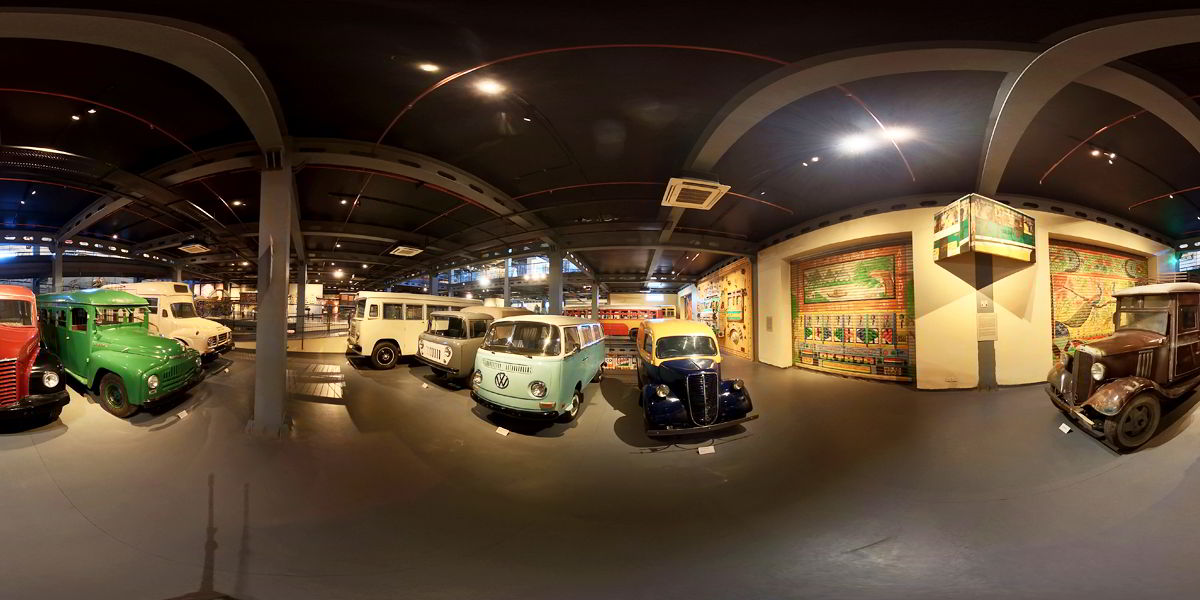
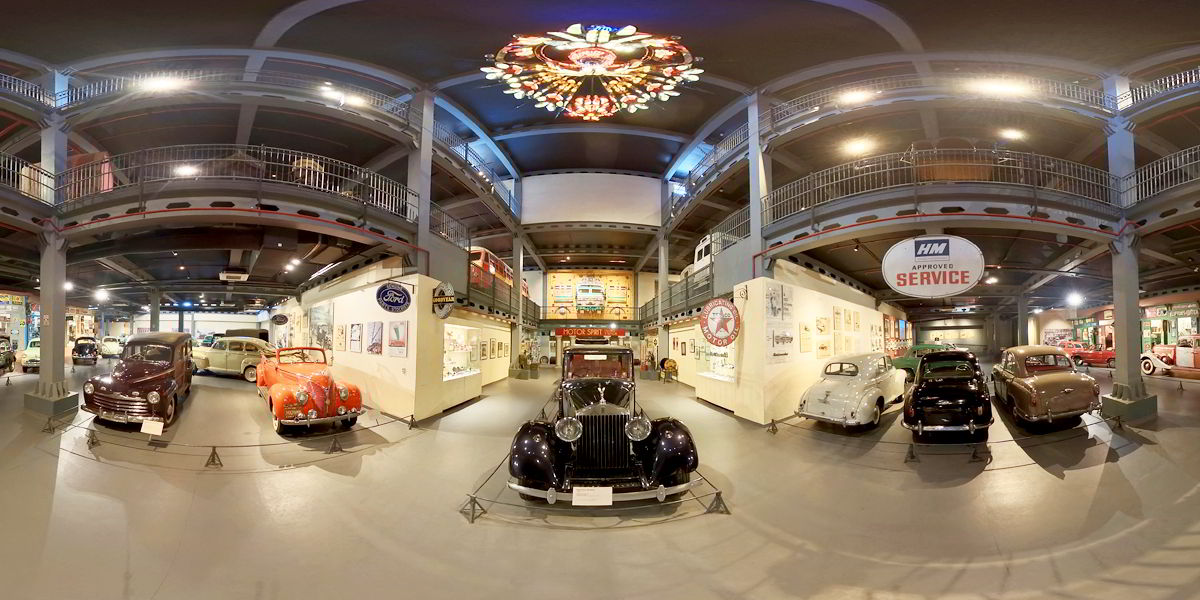
Over the years we've shot many kinds of spaces with a 360° camera, from factories and showrooms to museums full of vintage vehicles. A vehicle interior is simply a smaller, tighter space, and these are the businesses that get the most out of it:
- Intercity and sleeper bus operators who want passengers to choose their bus with confidence, not only on price.
- Tour and travel companies renting tempo travellers, mini buses and coaches for group tours, pilgrimages, school trips and weddings.
- Luxury coach and caravan rental businesses, where the interior is the whole product.
- Coach builders and body builders who want to show a finished interior to fleet buyers in other cities.
- School and staff transport vendors bidding for contracts, where showing clean, well-kept vehicles helps build trust.
Why a 360° tour works better than photos for a bus
Space is the real question. Most doubts about a bus are about space: berth length, headroom on the upper deck, legroom between seats. Wide-angle photos tend to stretch a narrow aisle and make it hard to judge size. In a 360° view the passenger looks around from a natural eye level, so the proportions feel real.
It shows the actual vehicle. Many listings use catalogue images or photos from a different coach. A tour of your own bus, with your own seat covers and fittings, tells people exactly what they're getting.
Fewer repeat questions. Is it AC? Are there charging points? Is there a blanket? With labelled info points inside the tour, these answers are right there on the screen, and your booking team spends less time on the phone.
Easy to share on WhatsApp. Group trips in India are usually planned by one person who then convinces the whole family or office. A single tour link that opens on any phone makes that job much easier.
What we capture in a bus or coach tour
The exact plan depends on your vehicle, but a typical tour covers:
- The entry steps and the front of the cabin
- The aisle, viewed from the front and from the back
- Seats or berths, including lower and upper sleeper berths where fitted
- Features passengers ask about, such as charging points, reading lights, curtains, storage and a washroom if the coach has one
- The luggage area
- An outside view of the vehicle, so people can see its size and condition
Each view can carry info points with short notes, for example "USB charging at every seat" or "Upper berth, 6 ft". You give us the details and we add them to the tour.
Where to use the tour
- On your website, right next to the route or vehicle you are selling. The tour is embedded on the page and opens in any browser, no app needed.
- On Google. Your office or depot can have its own Google Street View virtual tour, and you can link the vehicle tour from your profile. Our guide on adding a 360° tour to your Google Business Profile explains the steps.
- On WhatsApp and social media, as a link you send every time someone asks for "photos of the bus".
- In proposals for schools, companies and event planners, so the decision maker can see the vehicle without visiting your depot.
If you also want to show the journey itself, a 360° video shot on the road is a good companion to the still tour. Travel and tourism businesses can also read our post on using 360 virtual tours for tourism and hospitality.
How the shoot works
We shoot when the vehicles are parked, clean and ready, ideally at your depot in daylight. Interior lights are switched on, curtains are set the way passengers will see them, and anything personal is removed. Inside a bus the camera position matters a lot, because the space is narrow and close to the lens. We place the camera at a natural seated or standing eye level so the tour feels like walking in.
If you have several vehicles parked at one depot, we plan to cover them in the same visit wherever possible. Our shoots usually take 6 to 8 hours per location, and the finished tour is delivered in about 6 to 10 days, after editing, blurring number plates or faces if needed, and adding info points.
The cost depends on how many vehicles and layouts you want to show and whether you want your office or depot included. For reference, our Google Street View tours for business premises start at Rs 25,000. Share your fleet details and we'll send a clear quote.
Tips for bus and coach operators
- Shoot one vehicle per layout. If ten of your sleepers have the same interior, one good tour can represent all of them. Shoot a separate tour for each different layout.
- Show the vehicle at its best, but honestly. Clean it well, but don't hide wear that passengers will notice anyway. Trust matters more than a perfect picture.
- Label what makes you different. Extra legroom, a washroom, a pantry or a ladies-only section are worth an info point.
- Update after a refit. When you change the interior, we can re-shoot just that vehicle and replace it in the tour.
You can see how we handle vehicles and large spaces in our Heritage Transport Museum tour, and more examples on our 360° virtual tour services page.
Frequently asked questions
Can passengers open the tour on their phones?
Yes. The tour runs in a normal mobile browser. Passengers can swipe or move the phone to look around, and tap info points for details.
Do we need to shoot every bus in our fleet?
No. One tour per interior layout is usually enough. If you sell a specific vehicle, such as a luxury coach for weddings, it makes sense to shoot that exact vehicle.
Can you blur number plates and faces?
Yes. We blur number plates, faces and any other details you don't want shown before the tour goes live.
Can the tour also cover our office or depot?
Yes. Adding your booking office or depot shows customers a real, established business, and it can also be published on Google as a Street View tour.
Do you work outside Delhi NCR?
Yes. We're based in New Delhi and take up projects across India, and we've worked with clients abroad too, including in Dubai and Zurich.
Let passengers see inside before they book
If you run buses, coaches, tempo travellers or caravans and want people to book with more confidence, we'd be glad to look at your fleet and suggest what the tour should show. Get in touch or WhatsApp us on +91 99998 96100.