

It's a story that's far too common. A business owner spends lakhs on the interiors - lighting, furniture, signage, the works - and then their Google Business Profile shows six dark phone photos and a blurry shot of the parking lot.
That profile is often the first thing a customer sees. Before they call you, before they drive across Delhi in traffic, they look you up on Google Maps. A 360° virtual tour lets them actually walk in, look around, and decide you're worth the trip.
Business owners ask us the same few questions about this all the time. So here's the honest, practical version of how it works in 2026.
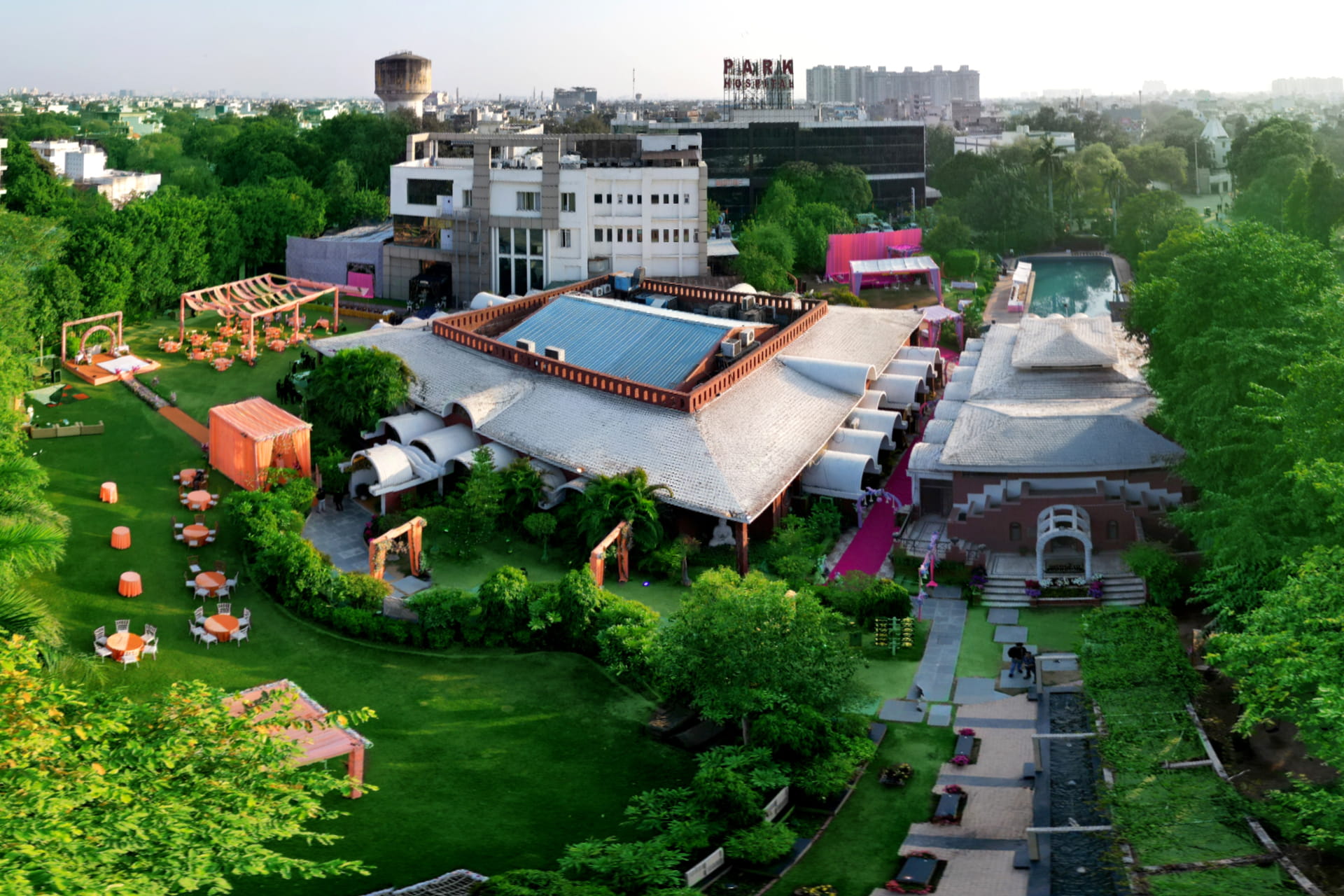
First, what exactly is a "Google virtual tour"?
It's a set of 360° panoramic photos of your place, connected to each other and pinned to your location on Google Maps. A customer opens your profile, taps on the tour, and can turn around in any direction and click forward from the entrance to the reception, then into a room, the hall, the shop floor - wherever you want to take them.
The difference from normal photos is simple. With a photo, you decide what they see. With a tour, they decide. That's exactly why people trust it more.
Is it worth it for an Indian business?
In our experience, yes - especially if the place itself is part of the decision. A few examples from our own work:
- Banquet halls and resorts - families want to see the lawn and the stage before they even ask for a quote.
- Hospitals and dental clinics - patients feel calmer when they've already "seen" the waiting area and the treatment room.
- Schools and coaching institutes - parents check classrooms, labs and washrooms. They really do.
- Showrooms and factories - buyers, especially from outside the city or abroad, want proof you're a real, well-run setup.
And the same shoot doesn't only go on Google. You can put it on your website, send the link on WhatsApp, and use it in sales meetings. One shoot, many uses.
How it works now (a lot of old guides are wrong)
If you've read older articles telling you to "download the Street View app", that advice is outdated. Google shut that app down in 2023. Today there are basically three ways 360° photos get onto Google Maps:
- The Google Maps app. Under "Contribute", you can upload a single 360° photo from your phone. Fine for one picture, but it won't build a walk-through.
- Street View Studio. This is Google's web tool for uploading and managing 360° imagery, mainly for bulk uploads and 360° video.
- Street View-compatible tour software. This is what professional photographers use to connect panoramas, place each one on the map and publish the whole tour.
If you want a proper tour where people can move from your gate to your inside spaces, it's the third route. Every panorama has to sit at the right spot, face the right direction, and link to the next one. That's the part most people underestimate.
The actual process, step by step
1. Fix your Google listing first
The tour gets attached to your listing, so the listing must be correct - verified, right name, right pin on the map, right phone number, right category. If you have two listings for the same place (more common than you'd think), clean that up first. Otherwise you can end up putting a beautiful tour on the wrong listing.
2. Plan the walk
Think like a first-time visitor. Usually it's: outside entrance, then reception, then the main area, then two or three spaces that sell your business. Before the shoot, tidy up, switch on every light, and put away anything private - files on desks, computer screens, staff bags.
3. Shoot it properly
Google needs full 360° images in a 2:1 format, sharp and level. We shoot on a DSLR with a panoramic head and take several exposures at every point, so windows aren't blown out white and corners aren't dark. Small 360° consumer cameras are okay for a tiny shop, but in a big hall or a bright lobby the difference is obvious.
4. Edit, stitch and blur
The shots are stitched into one smooth panorama, colours are corrected, and the tripod is removed from the floor. Faces, car number plates and anything sensitive get blurred - Google has rules on this, and they're right to.
5. Connect and place everything
Each panorama is dropped at its exact point on the map, rotated correctly, and linked to its neighbours. Done badly, the arrows send people into walls. Honestly, this is where most DIY tours fall apart.
6. Publish and check
After publishing, Google takes some time to process it. Then it shows up in your profile photos and in Street View for your location. Check it on your phone and on a laptop, and make sure it's on the right listing.

Mistakes we see all the time
- Blurry or low-resolution photos. Google compresses everything, so a soft image looks even worse once it's live.
- Panoramas in the wrong place or facing the wrong way.
- Loose 360° photos with no connections. That's not a tour, just a few round pictures.
- Faces and private information not blurred.
- Publishing on a duplicate listing.
- Never updating it. If you renovated two years ago, your old tour is now misleading people.
Do it yourself, or hire someone?
| Doing it yourself | Hiring a professional | |
|---|---|---|
| Good for | One 360° photo of a small shop or office | A full walk-through of a hotel, hospital, school, showroom, factory or venue |
| Equipment | Phone or a small 360° camera | DSLR, panoramic head, multiple exposures |
| Quality | Hit and miss, struggles in big or bright spaces | Sharp, well-lit, colour-corrected |
| Connecting and map placement | Limited | Fully connected and correctly placed |
| Other uses | Mostly just Google Maps | Same shoot can become a branded tour on your website |
If you also want a branded tour on your website - with your logo, info hotspots and a WhatsApp or enquiry button - plan both in the same shoot. It saves time and money. Our 360° virtual tour services page shows what that looks like.
What does it cost?
At 360Biznus, a Google Street View tour starts at ₹25,000. The final price depends mainly on the size of your place and how many panoramas it needs - a small clinic and a 5-acre resort are very different jobs. For a more detailed breakdown, read our guide on 360 virtual tour cost in India.
How we do it at 360Biznus
We're based in New Delhi. We plan the route with you, shoot on site, do all the editing and blurring, connect every panorama and publish the tour to your Google Business Profile. Over the years we've shot hotels, resorts, exhibitions, museums, temples, factories, schools and clinics across Delhi NCR, Haryana, UP, Punjab and further. Have a look at our virtual tour portfolio, or see the full service on our Google Street View virtual tours for business page.
Quick answers to common questions
Does Google charge to add a virtual tour?
No. Google doesn't charge for publishing 360° photos to Maps. What you pay for is getting good imagery - the equipment, the shoot, the editing and the know-how.
How long before the tour shows up?
Google has to process it after publishing. Often it's a few days, but it varies, so don't panic if it isn't there the next morning.
Do I need a verified Google Business Profile?
Practically, yes. You want the tour on an accurate, verified listing at the right location.
Can I use the same tour on my website?
Yes. We can turn the same shoot into a branded tour you can embed on your site and share anywhere.
Do you work outside Delhi NCR?
Yes. We travel across India for projects and work with clients abroad too.
Want customers to walk in before they walk in?
Tell us about your place and we'll suggest the route, number of panoramas and a timeline. Contact us for a free consultation, or WhatsApp us on +91 99998 96100.